
If you’ve sent acknowledge messages or digital signature documents in Omnnio and want to track who confirmed them, there are two easy ways to do it:
Search by message
You can view confirmation details directly linked to the message itself.
To learn how, follow the steps in: How to Download the Acknowledge Message with the Timestamp of the User's Confirmation
Search by user
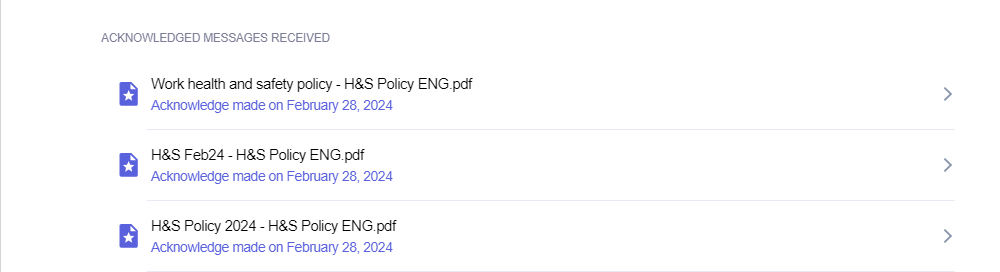
Go to the Users tab and click on the name of the employee you want to check. A window will appear with their profile. At the bottom of that window, you'll see a list of all acknowledge messages and digital signature documents they’ve received—along with their confirmation status and timestamp. You’ll also be able to download the confirmation files directly.
🔒 Note:
The ability to see the content of these documents depends on your permissions. If the file was sent in a chat that you are not part of, you will only see whether the user confirmed it and the timestamp—but not the content of the file itself.